problem uploading images?




can you email me that image jamie(at)maplewoodonline.com
Did this happen on mobile or desktop?
I'm working on the image issue - hope to have a fix shortly. It appears the images are uploading - just not showing.
do you still want the images? they were two different png files. and it was on the desktop and the images were created the way I create most of them. screen shot saved to a png file via greenshot.
drummerboy said:
do you still want the images? they were two different png files. and it was on the desktop and the images were created the way I create most of them. screen shot saved to a png file via greenshot.
No - thanks anyway - figured out the issue.


Just noticed this post. I have been having ongoing issues with the “new” method of posting photos or cartoons since the last “improvements” were done and have posted the problem in the Rose Garden. I assumed that I was just not up to the task with the personal issues I have been dealing with since 2026 dawned. But to see db had issues is a surprise! Help, please!


mtierney said:
Just noticed this post. I have been having ongoing issues with the “new” method of posting photos or cartoons since the last “improvements” were done and have posted the problem in the Rose Garden. I assumed that I was just not up to the task with the personal issues I have been dealing with since 2026 dawned. But to see db had issues is a surprise! Help, please!
That problem was solved. Have you tried this with several images or is it happening mainly with one? I'm not sure what you mean by the "new" method of posting photos - nothing has changed as far as the method goes. Are you getting an error message?
jamie said:
That problem was solved. Have you tried this with several images or is it happening mainly with one? I'm not sure what you mean by the "new" method of posting photos - nothing has changed as far as the method goes. Are you getting an error message?
previously, it was a simple cut and paste deal. I would take a screenshot, go into my photos, select the photo copy and the place the selection where I wanted it to appear.
I stopped trying to it figure out, admitting the selection process was too complicated for my self-taught computer know-how. I think clicking on the little box in on the photo of the photo you want copied is a big change from the previous method.
I’ll give it another try at some point.


mtierney said:
previously, it was a simple cut and paste deal. I would take a screenshot, go into my photos, select the photo copy and the place the selection where I wanted it to appear.
I stopped trying to it figure out, admitting the selection process was too complicated for my self-taught computer know-how. I think clicking on the little box in on the photo of the photo you want copied is a big change from the previous method.I’ll give it another try at some point.
I have no idea how you used to do it. You can't paste an image with our system. Like ridski said - there's a big box under the reply area that says attachments - you can drag files on it - or click on the box and select what image you wish to upload.
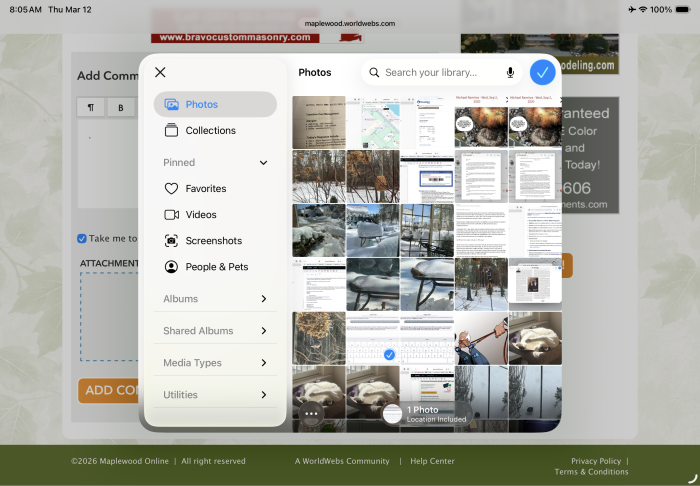
After several tries this worked — an unedited screenshot! I tried so many times, I can’t remember what I did.
I will try again, and take notes, but today is my B-day and I want to get ready for company!
one more try! I selected photos in the small box, selected a photo, then I clicked on the checkmark and the photo appeared in my post!
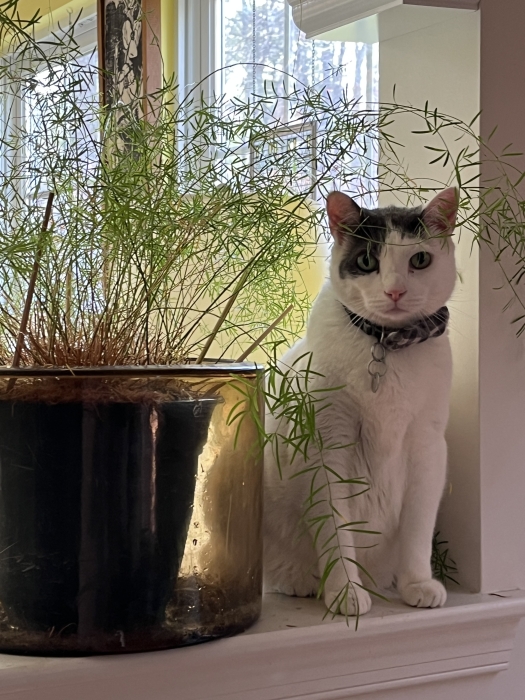
yes! clicking on the blue check mark after I selected a photo and the photo appears in the box under my post!
Think it will take practice, so please bear with me!
@jamie… this is a different way of posting photos since the changes made several weeks ago.

mtierney said:
yes! clicking on the blue check mark after I selected a photo and the photo appears in the box under my post!
Think it will take practice, so please bear with me!
@jamie… this is a different way of posting photos since the changes made several weeks ago.
nothing changed on our end. We only had a SSL issue. Maybe there was an update in your OS.
jamie said:
mtierney said:
yes! clicking on the blue check mark after I selected a photo and the photo appears in the box under my post!
Think it will take practice, so please bear with me!
@jamie… this is a different way of posting photos since the changes made several weeks ago.
nothing changed on our end. We only had a SSL issue. Maybe there was an update in your OS.
I believe mtierney has been complaining about exactly that since iOS26 came out. Mtierney updated and now the copy and paste function has changed (I've seen a few complaints in other forums about it but it's not universal), but that doesn't change the fact that everyone else has been able to use the Attachments box to upload pictures the entire time, and that mtierney can use that function built into MOL going forward.



Testing
Apparently, not doing the post images correctly...
only video links will convert to a player - like from youtube. I also improved the video size. If you cut and paste a story that has a image within it - it will post - but it's not the best way to do it because the image may get cut off.
Sponsored Business

Promote your business here - Businesses get highlighted throughout the site and you can add a deal.


jamie, can you take a look at this post?
https://maplewood.worldwebs.com/forums/discussion/what-is-being-said-in-the-rose-garden-what-s-happening-in-washington?page=next&limit=54870#discussion-replies-3714077
the uploaded image is not displaying. I'll upload a different one here and it's the same effect.
when I first attach it it looks like it works. but if I then edit the post the image shows as blank in the attachments section.